01 / MODEL
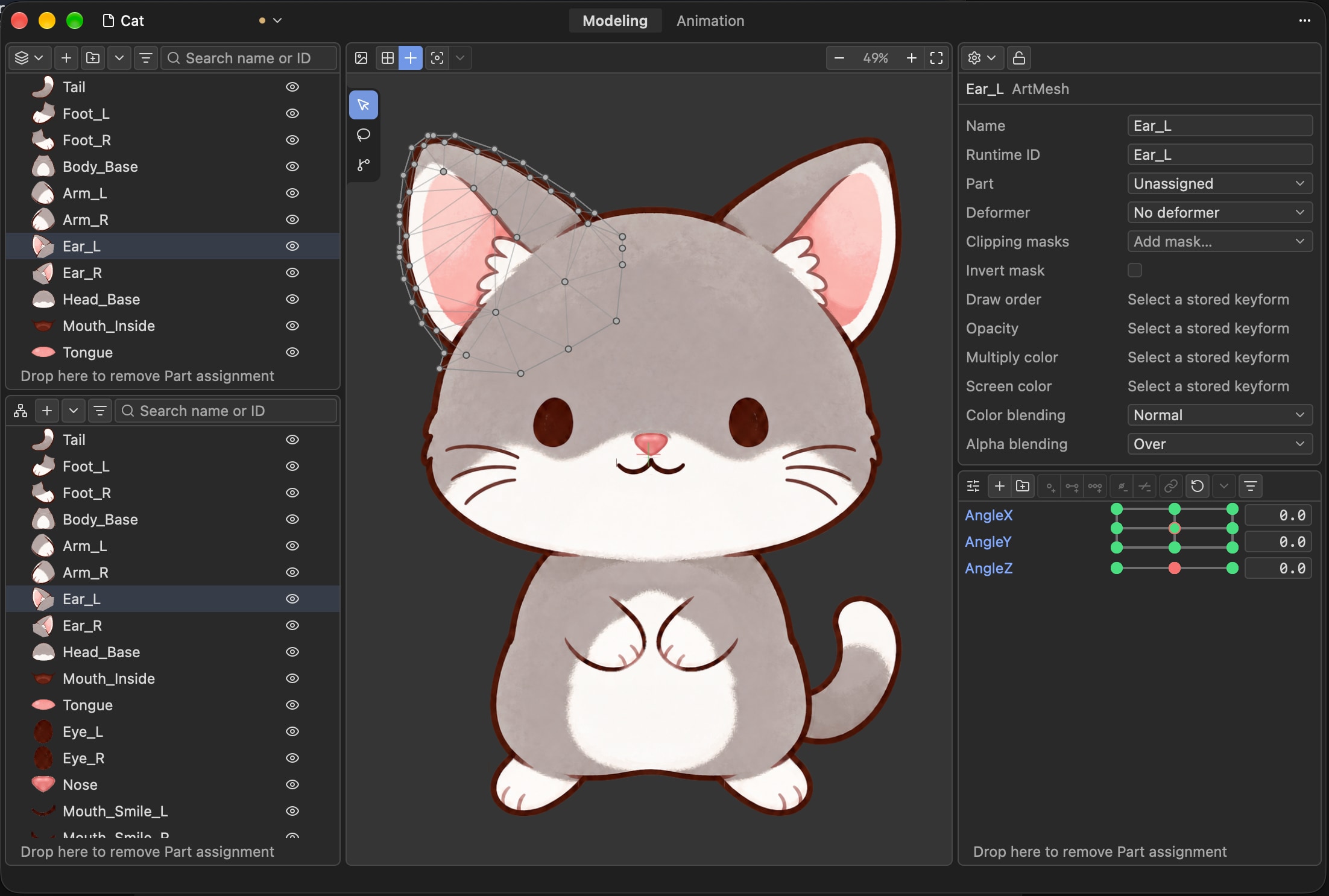
Shape the model
Organize models and layers, edit meshes and textures, and turn 2D artwork into a structure you can keep shaping.
Model documents / Meshes / Textures2D MODELING & ANIMATION
From shape to motion,
turn ideas into expression you control.
Zipzi 2D is a 2D modeling and animation tool exploring an alternative workflow to Live2D Cubism Editor. Create in the desktop editor, program with Python, and collaborate with AI Agents.
Direct control for creators.
Room to program for developers.
SHAPE. DEFORM. ANIMATE.
Modeling, deformation, and animation are different views of one creative process.
Built for characters, graphics, and a wider world of 2D content.
Organize models and layers, edit meshes and textures, and turn 2D artwork into a structure you can keep shaping.
Model documents / Meshes / TexturesUse parameters and deformation to organize changes and refine every adjustment on top of the base form.
Parameters / Deformation / Shape adjustmentsArrange time and keyframes in the animation workspace to give static models rhythm, motion, and expression.
Timeline / Keyframes / AnimationBUILT TO BE PROGRAMMABLE
The Rust SDK provides model editing. The Python SDK supports modeling, animation, project I/O, and inspection. Turn repetitive work into code so creators and AI Agents can collaborate in one workflow.
The Python SDK requires CPython 3.14. Use a local Runtime or connect to a running editor to share documents and undo history. See the project documentation for installation and available capabilities.
View release status ↗from zipzi import meshes
geometry = meshes.Geometry(
(42, 7, 99),
((0., 0.), (1., 0.), (0., 1.)),
((0., 0.), (1., 0.), (0., 1.)),
((42, 7, 99),),
)
with session.edit("Shape") as edit:
shape = edit.meshes.create(
meshes.MeshSpec("Shape", geometry)
)Based on the SDK documentation; Runtime and Session initialization omitted.
EARLY ACCESS · ALPHA
Alpha builds are now public.
Still in development. No stable release yet.
Find downloads, release notes, and platform requirements together on GitHub Releases. Choose the right build for you and read its notes.
A FEW MORE THINGS
The name comes from the Cantonese word for folding paper, 摺紙 (zip3 zi2). The project explores an alternative workflow to Live2D Cubism Editor for 2D modeling and animation. Zipzi is independent and is not affiliated with, authorized by, or endorsed by Live2D Inc.
It is not limited to characters or a particular art style. The project targets broader 2D modeling and animation workflows, with an editor for creators and SDKs for developers.
Zipzi 2D is the new name of the former Kasane 2D project, continuing its work on 2D modeling, animation, and programmable tools.
The current version is for early testing. Workflows and file formats may still change. Keep your original assets and project backups, and evaluate the Alpha against your own needs.